Creating a Space
A RecordRanks space represents a sports community and contains all of its competitions, events, results, records, competitors, and community-specific content. Here you can learn how to set up a space on the RecordRanks Platform.
Create a new space
First, go to the Create New Space page. If you don't currently have a RecordRanks account, you will be taken to the login page, where you can either sign up using email or use social sign-in (e.g. Google).
The form should provide you all the information you need to create your space. Note that there are many more customisation options available; you can set them up in the space settings afterwards. This is an example of a filled out form for a hypothetical powerlifting community:
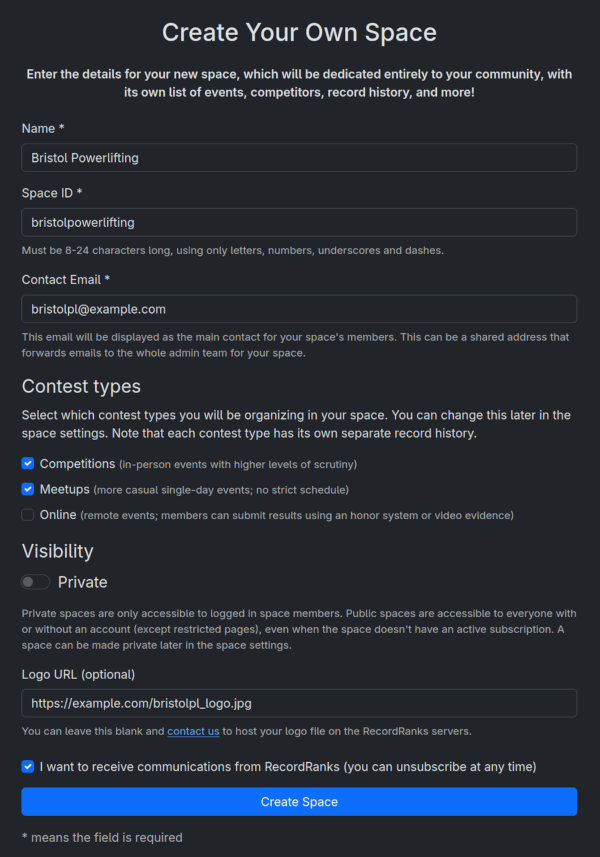
The Space ID is used in all of the links to your space. For example, the link to the competitions page for the above space will look like this: .../bristolpowerlifting/competitions.
Once you've created your space, you can start customising it.
Customising a space
After you create your space, you should be taken to the Dashboard page. You can also always access it via the navigation bar at the top. The Getting started to-do should guide you through the initial setup process. This process takes no longer than 10 minutes, unless your sport has a large number of events/divisions.
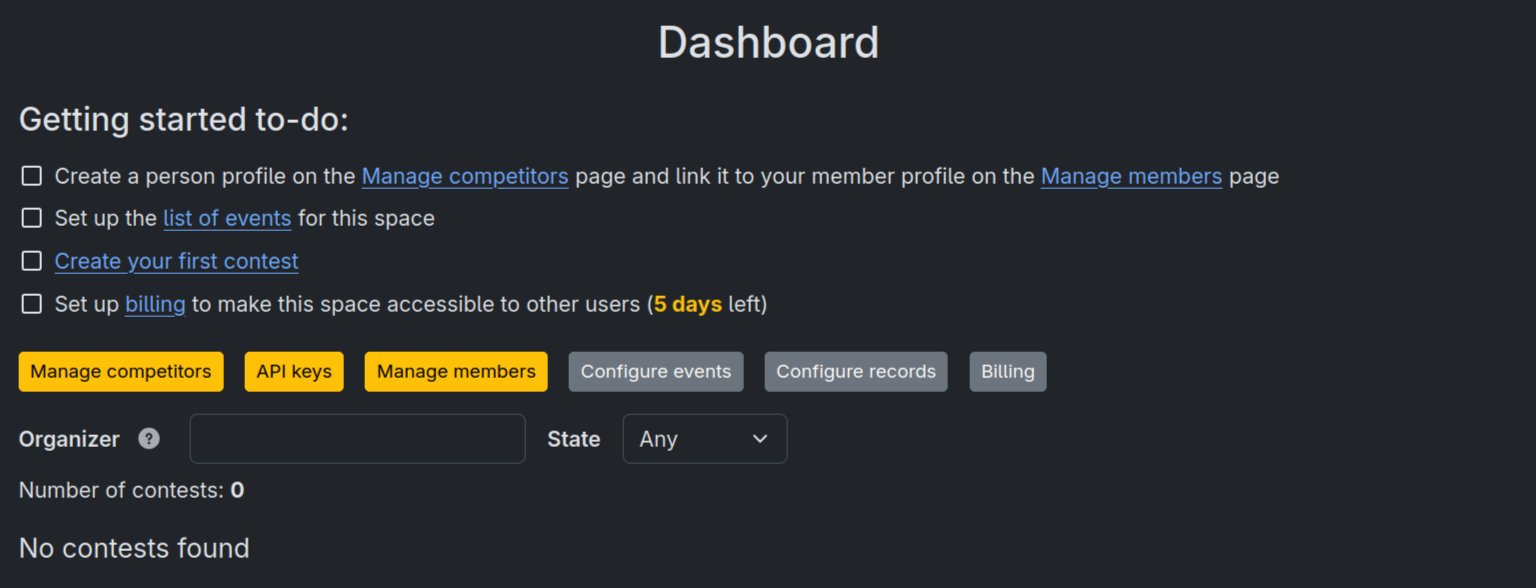
You can leave the billing setup for when you're ready to start your free trial and share the new space with your community.